Several days ago, some friends ask about how to digg and the campaign blog via digg. Now I will try to explain the appropriate knowledge about what is digg and how to use it.
Digg is a social Book marking sites that many people used to find and share knowledge about anything and from anywhere. Therefore almost the whole blog world to register on digg, which aims to promote or distribute content from blogs to be known by other users. Registered on digg with the same means to promote a blog that will eventually increase visitors to the blog itself.
To be able to campaign through the digg blog, please follow the steps below:
1. Make free registration here. And just follow all the instructions provided to complete.
2. If already registered then the next step is to submit all articles or post to digg. I like this.
3. Log in to the digg site.
4. Click Submit new, there is usually at the top right.
5. Enter the URL field with is full filled by post on the blogs address as it appears in the Internet browser, for example: http://klikphirtual.blogspot.com/2009/07/get-healthy-hearth-with-multy-orgasm.html
6. Click News Article, Video or Image in which its more suitable. Then click Continue.
7. Wait until the process, we’re digging through your submission is complete.
8. The contents of the title of the article Title or post a URL submitted earlier.
9. In the Description field contents with the description or outline of what you want to post submitted.
10. Choose Thumbnails; please select the image you want to use.
11. Choose a Topic; please select the topic that matches the article or post that would submit.
12. Note the Preview is already in accordance with the desired result.
13. Are You Human? Write code shown beside.
14. If everything is correct it is Click Submit Story.
15. Next on, Submit a New Story - Are You Sure Its Not a Duplicate? Click Totally Original, I swear! On the bottom.
16. If all the steps correctly then you should see, Success! Your story has been submitted.
How easy and quick enough not...? Please submit all articles or post that has been and will be made later on so that more and more internet users know the existence of your blog. In addition, if you find this article useful please click on the Share / save button below and click Digg, Face book or other article that is spread wide and can be more useful to the other :) Thank-you already visited and try the campaign blog via digg .




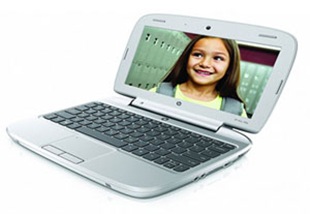
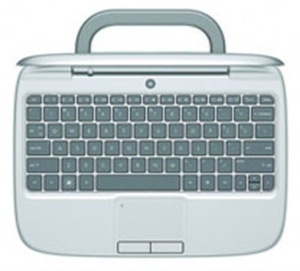 Are you looking for a netbook that best suited for your kids? This HP Mini 100e is maybe one of many options for that need. Netbook for kids must have several requirements. First, it must be strong enough to deal with what children may treat it. Second, it must be able to put up with splash of water. And third, it has to be equipped with software that can support the kid to be more productive in exploring their world.